



VCF 9 Operations introduced a very powerful feature for the query based analysis for Metrics/ properties and also enhanced the search capability for the Dashboards/objects/views/super metrics. consider a scenario where you have thousands of Hosts and virtual machines in the environment and you would like to do a live analysis of different metrics at the same time. This is now can be achieved using VCF operations query based analysis. Lets see how..
I need to know all the virtual machines a particular cluster which has CPU and Memory usage more that 50% and then create a trend chart for last 24 hours for all of these VMs for side by side comparison.
You can build a query like this in VCF operations using the analyze option
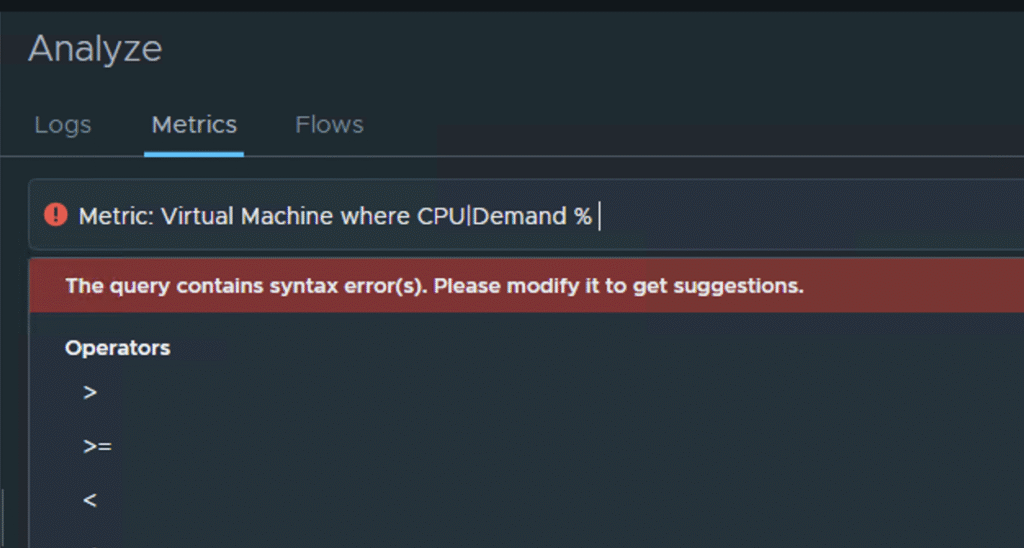
I have used a metric CPU demand for Virtual machine however note that the query is incomplete and VCF operations is also giving suggestion as to what operators you can use to complete the query. so I just added the greater than operator to complete my query. Now it looks like this.
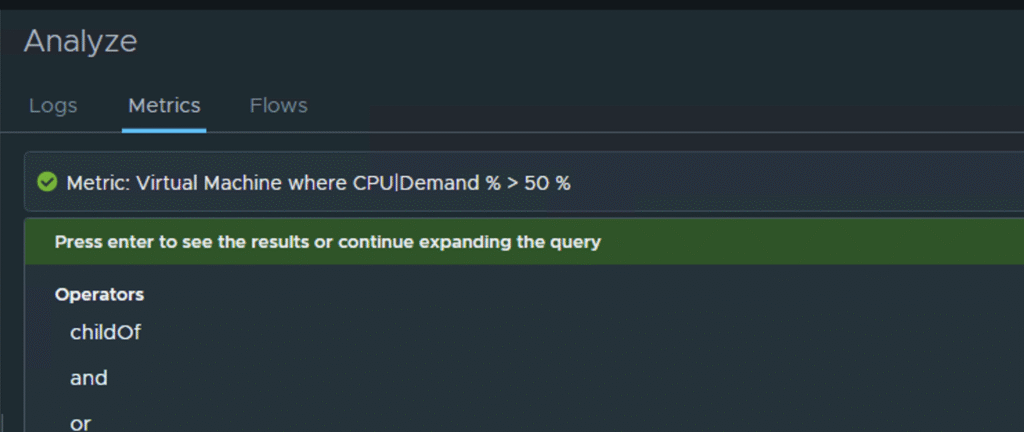
Here is the result of this query
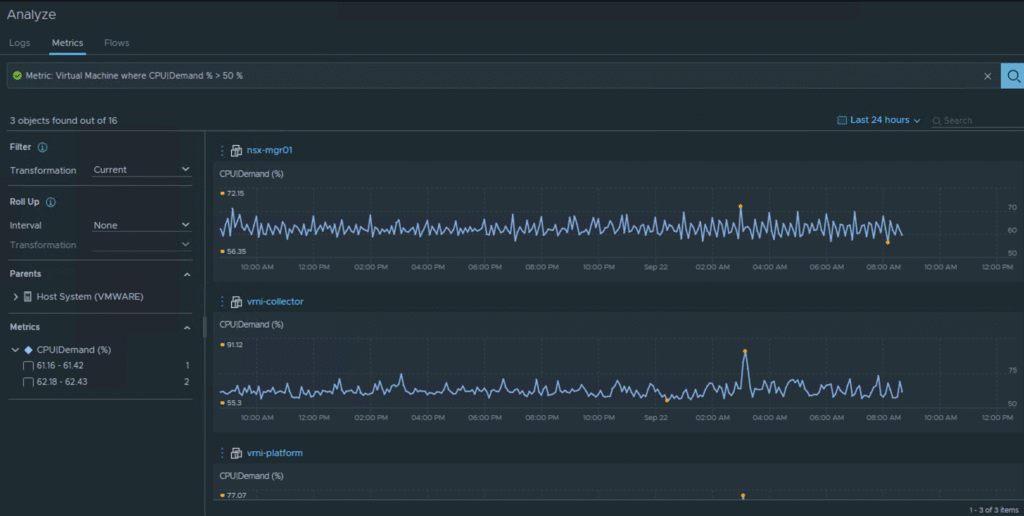
Now going to my original problem statement what I would like to know VMs with CPU as well as memory usage greater than 50%, I use another operator "and" to add another condition and expand the same query to get what I am looking for.
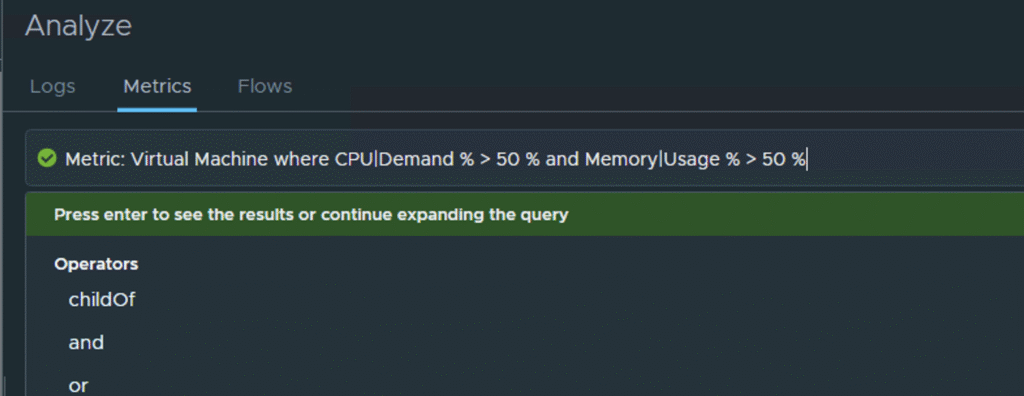
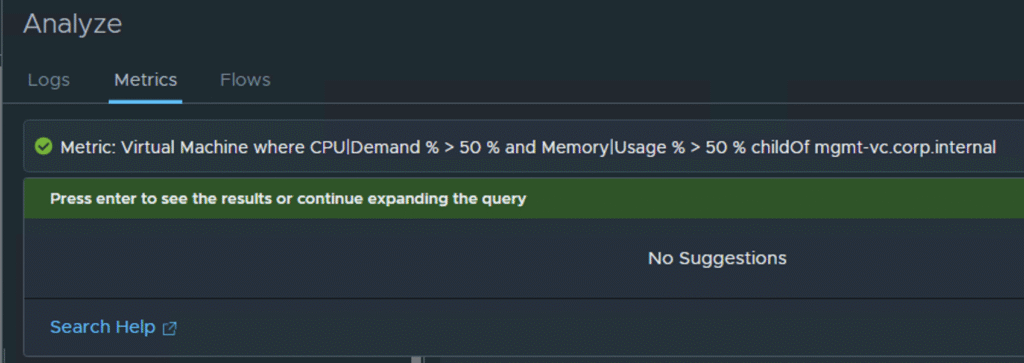
So this is the query after adding the “and” operator and using the memory usage metric to complete my query. Now to further optimize this and target only a specific cluster I have used the operator "childOf" so I can specify a specific object which in this case is a cluster compute resource. Here is the complete query and results of this query.
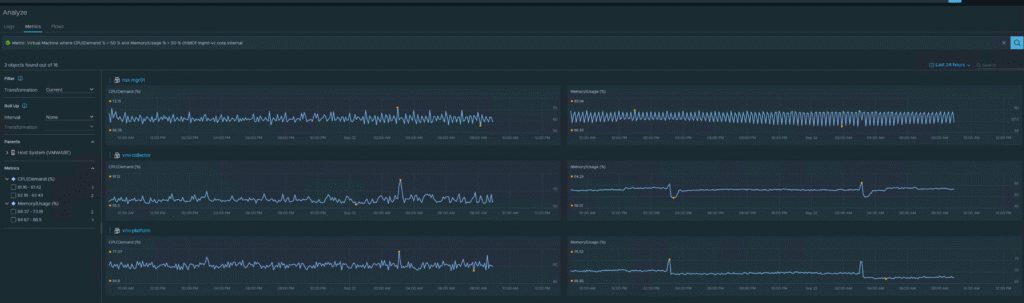
Few interesting things to note
- Side by side comparison of metrics
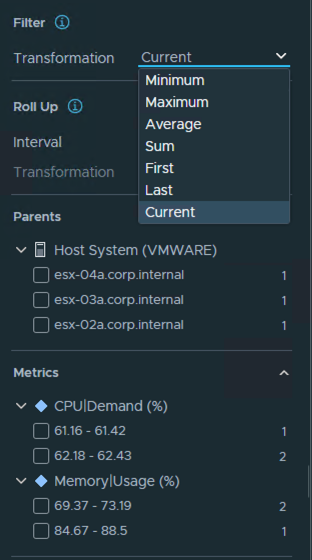
- Auto generated filter options for selecting range of metric data and corresponding count of VMs in that range
- Parent filter to further optimize your search
- Roll up interval available to change the roll up interval of the data
- Transformation filter to look at current/minimum/maximum/average/sum of the data collected
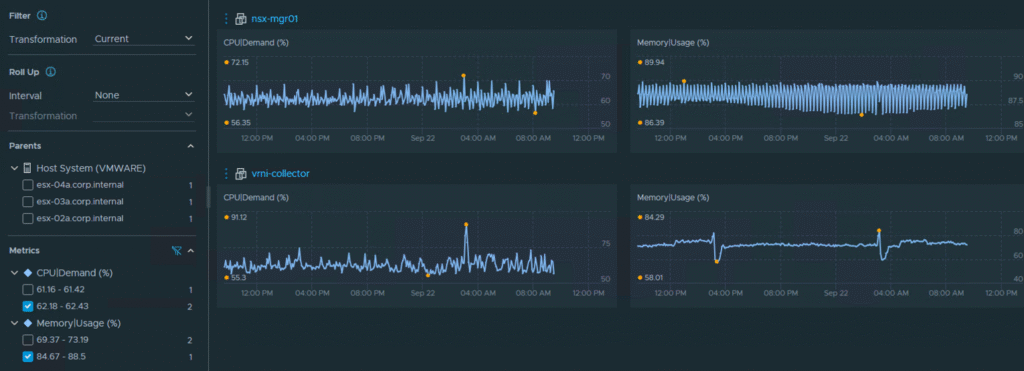
This capability is very powerful and useful in scenarios where you are trying to dig data out of large number of metrics and objects and want to get it in quick time. you can use numeric and string operators to create your custom queries, also you can use the additional filters to optimize your search results. This feature can help you a lot in your troubleshooting exercises to identify specific issues in the environment related to resource utilization/ performance and so on.
Hope you liked this and can benefit from it. keep doing more with VCF operations!!!
Reference documentation for more reading – https://techdocs.broadcom.com/us/en/vmware-cis/vcf/vcf-9-0-and-later/9-0/infrastructure-operations/enhanced-search-capability.html