



To take full advantage of the Network operations insights into the VCF operations as single pane of glass one needs to deploy Network operations using the Fleet Manager and then enable the data collection. Network Operations integrated with VCF operations gives detail insight into the NSX Manager, VPCs, Network Alert Trends, NSX Health, Business Application with Flows and Network Flows.
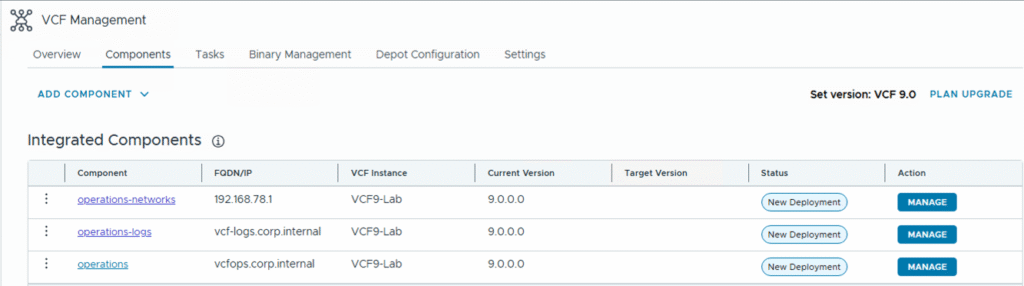
In my setup I have deployed the following components using the Flee Management, you need to have the online/ offline Depot configured to be able to map the binaries for component installations. Fleet Management -> Lifecycle -> VCF Management -> Components
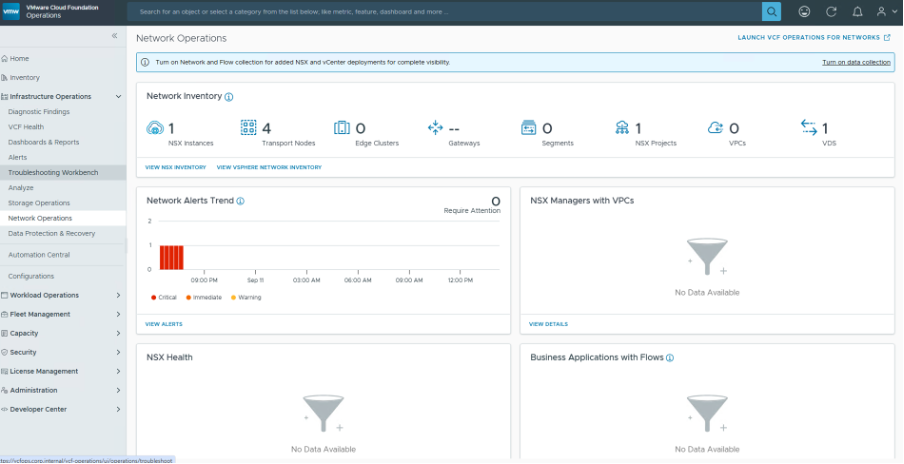
The network and flow collection for Network Operations is not enabled by default in VCF operations when the Network operations component is deployed and configured using the Fleet manager lifycle option. Below you can see that although I have the Network Operations installed and configured , I do not see the flows and other details in the Network Operations tab.
The Network and flow collection needs to be explicitly enabled for the vcenter and NSX manager components under the VCF instance of your environment. In my case I have one instance of VCF9 deployed and you can see that its collection status for the components is active under Administration->Integrations
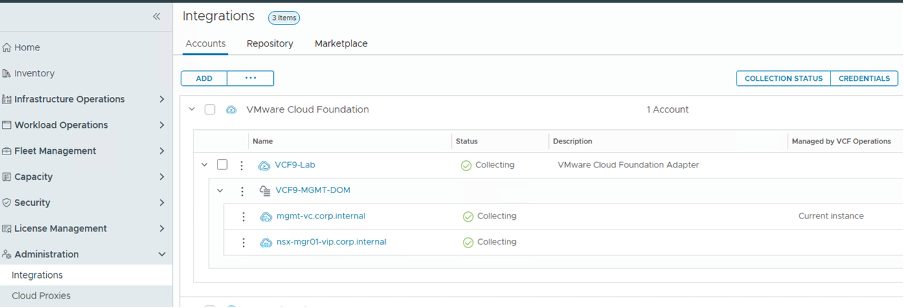
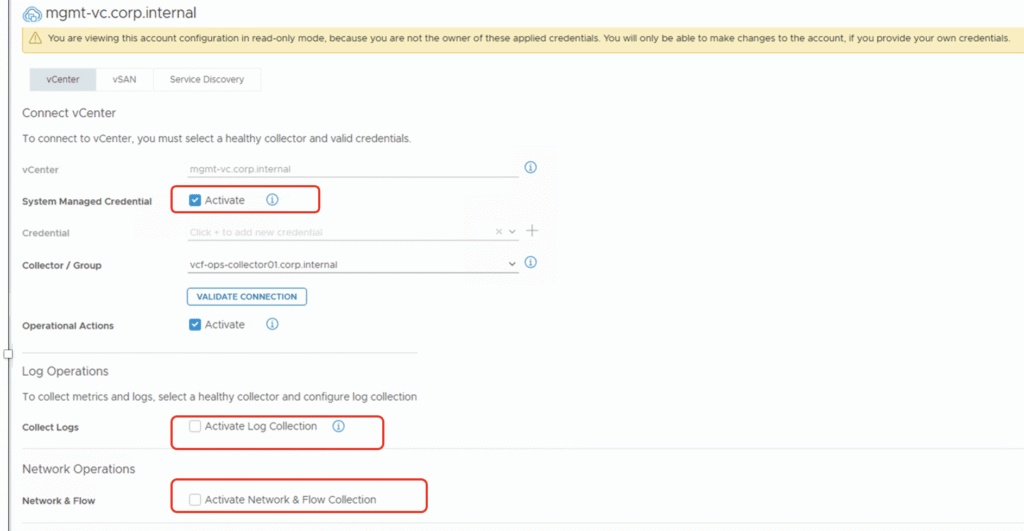
However this data collection is not collecting the Network and flow data and one needs to enable it explicitly in these integrations. you can click on the three dots next to each component – vCenter and NSX manager and enable the collection of Network and Flow data as shown below.
vCenter
Note that I am using system managed credential for his integration and it needs to be enabled before you can active the Log and Network flow collection.
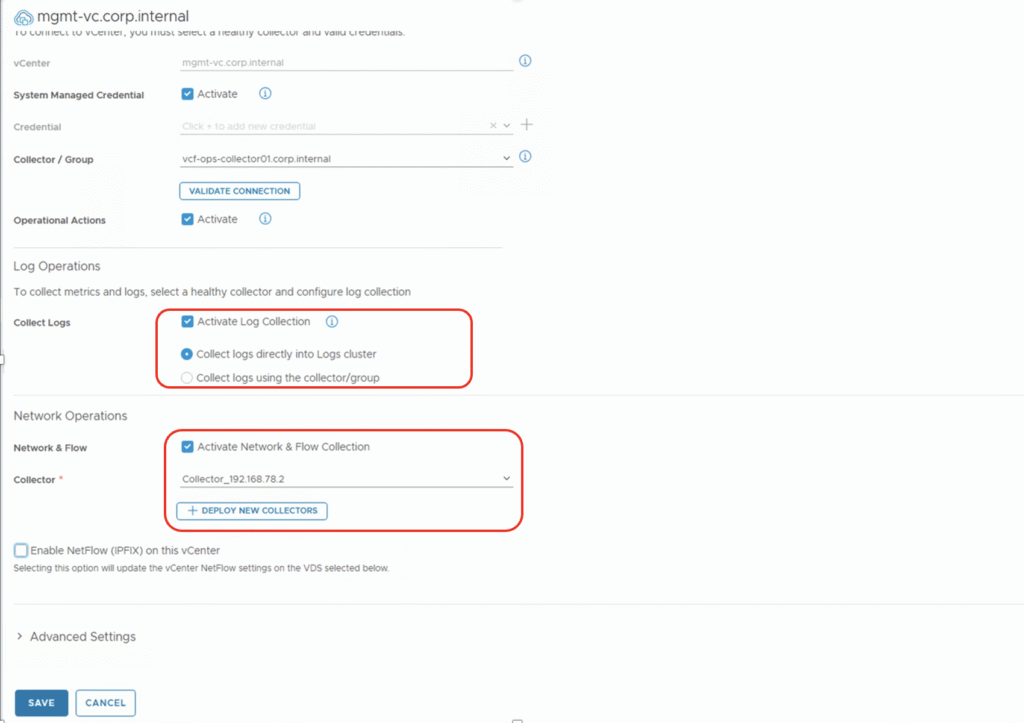
The collection of logs can be done directly on the Logs cluster or using the collector group. For Network and flow collection a collector needs to be specified or you can deploy a new collector if not available.
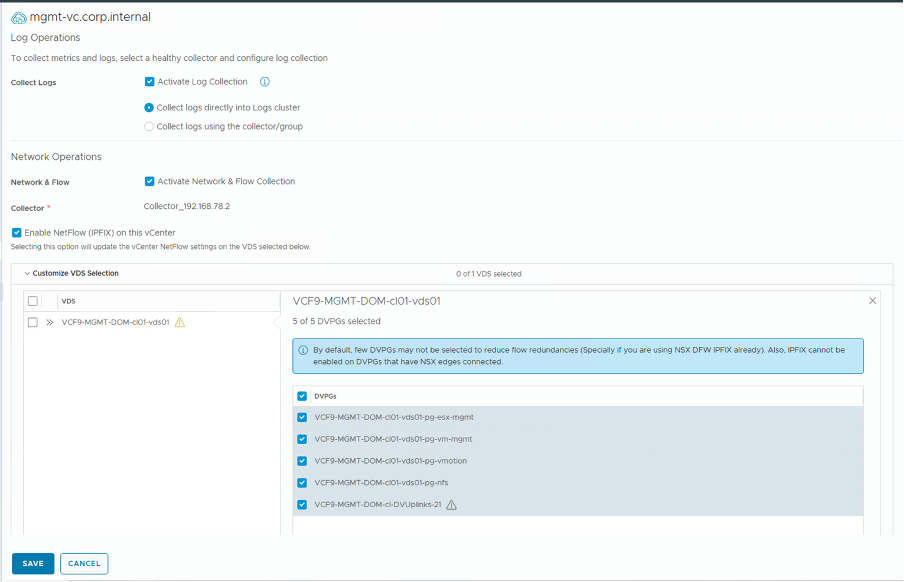
You can also enable the NetFlow ( IPFIX ) on the vCenter however please be aware that this action will make changes on the selected VDS to enable the NetFlow and you should have sufficient bandwidth to accommodate the NetFlow overhead. you can pick and choose which port group you want to monitor the NetFlow for and then enable it only for those.
NSX Manager
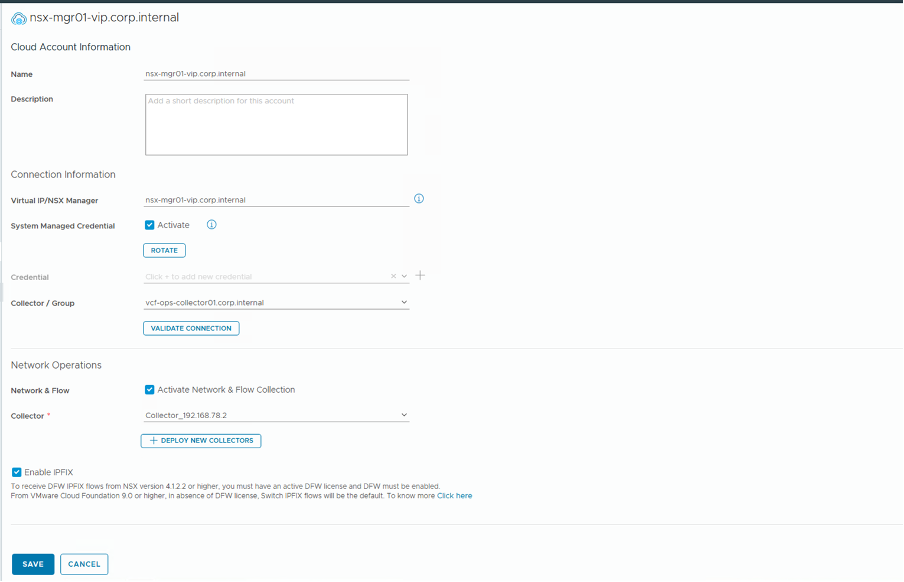
Similar to the vCenter you have to enable the Network and flow collection for the NSX Manager as well. You can also enable the IPFIX for the DFW flows for NSX version 4.1.2.2 and higher however you need to have an active DFW license and DFW must be enabled
After the data collection is enabled for flows and network you will be able to look at the data in Network Operations.
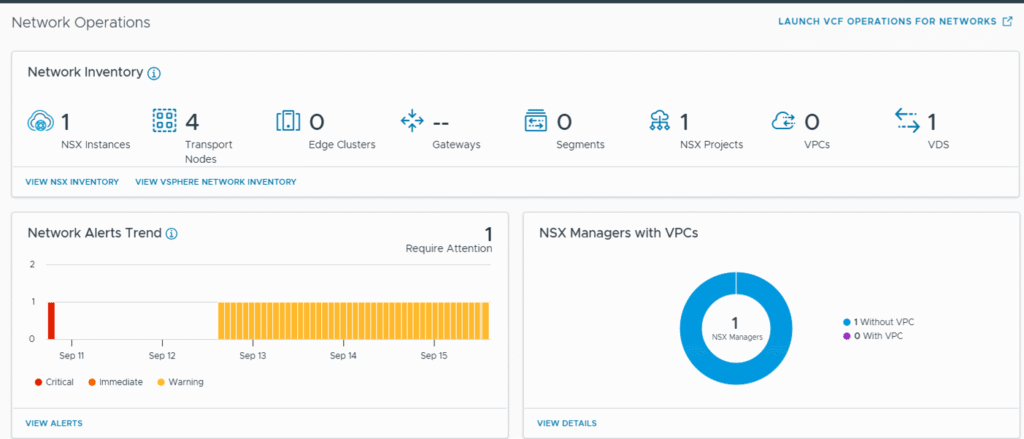
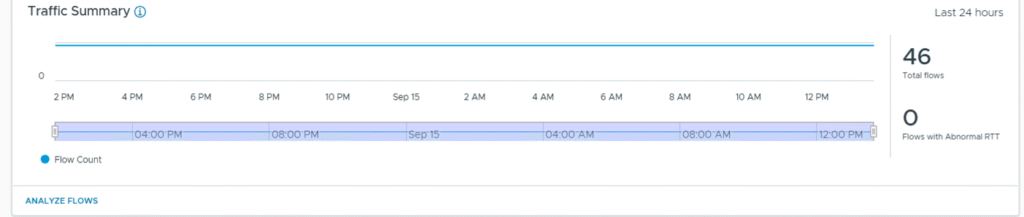
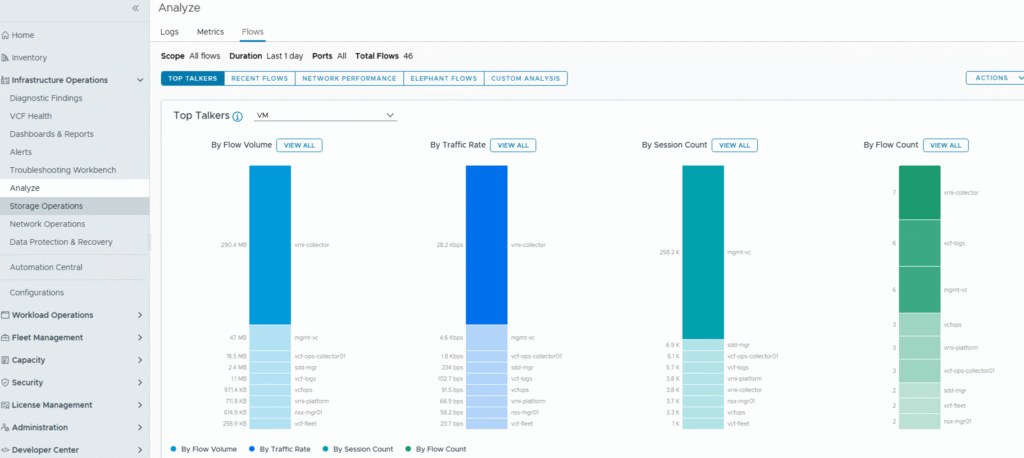
You can also Analyze Flows by Traffic/Volume/session count/ Flow count and so on. There are many options to explore to analyze the network flows and you can select multiple object types for your purpose.
Hope you find this blog useful. Do more with VCF Operations…!
VCF 9 Documentation Reference